

Viewing Your Progress
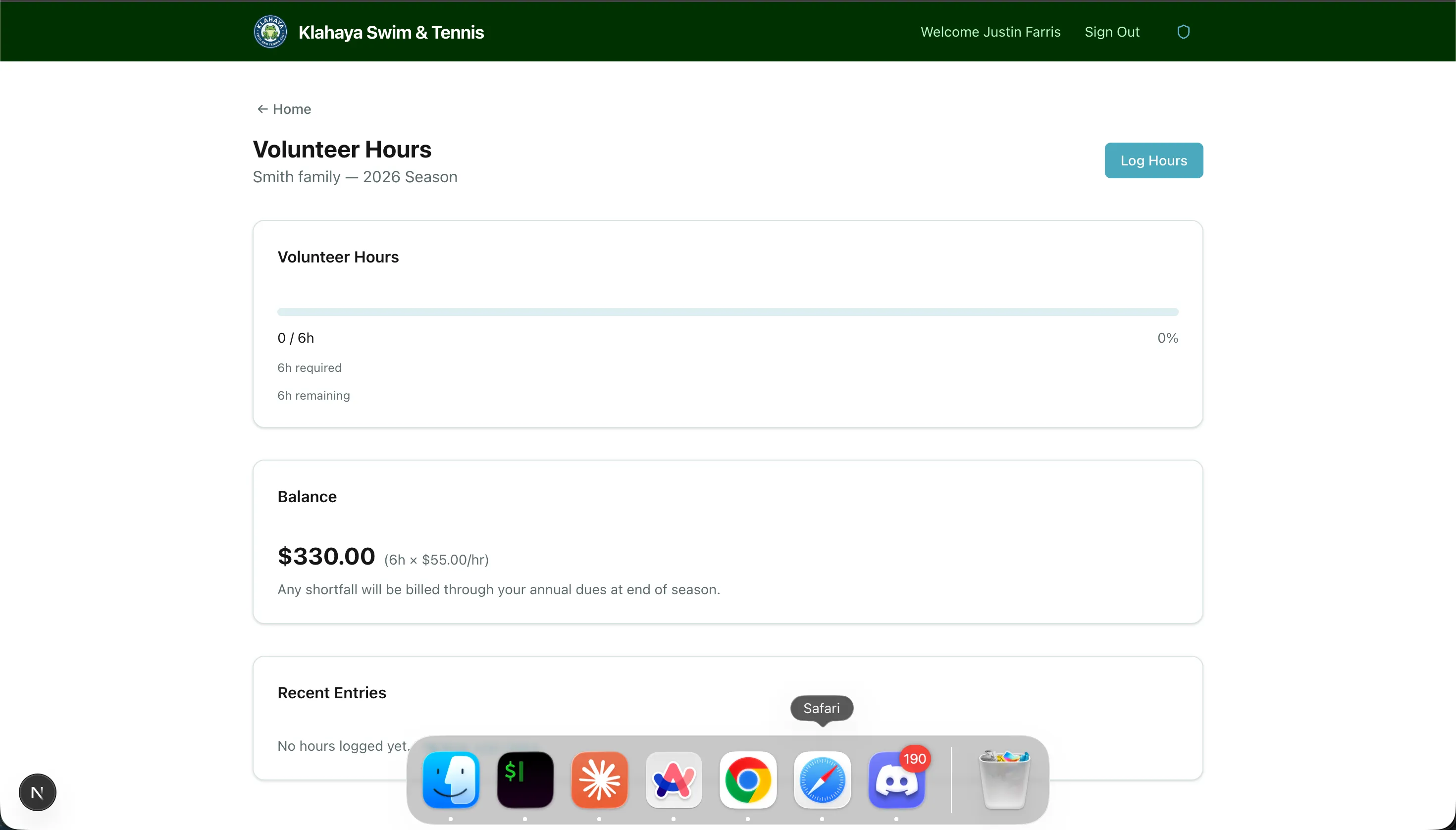
The Hours tab of the Volunteering page shows your family’s progress toward the season hour requirement at a glance. The Volunteering row on Home also shows a short summary, such as “12/15 hrs · Signed up for 2”.
What You’ll See
Section titled “What You’ll See”The tab displays:
- Volunteer Hours — a progress bar with hours logged vs. hours required, and a breakdown such as “10h base (family) + 5h swim = 15h total”. A Complete badge appears once you’ve met the requirement
- Balance — “All obligations met!” when fulfilled; otherwise the dollar amount owed for the remaining hours, which is billed through your annual dues at the end of the season
- Recent Entries — your most recently logged volunteer hours
Understanding Your Hour Requirement
Section titled “Understanding Your Hour Requirement”Your total required hours are calculated from:
- Base hours — Set by your account type (e.g., General = 50 hours, Emeritus = 10 hours)
- Activity hours — Additional hours for each activity your family is enrolled in (e.g., Swim Team adds 10 hours)
When you register and pay for a team through the portal, your family is enrolled in that team’s volunteer activity automatically and the extra hours show up in the breakdown right away. If the registration is refunded, the enrollment is removed again (unless another paid registration for the same team remains).