

Admin Getting Started
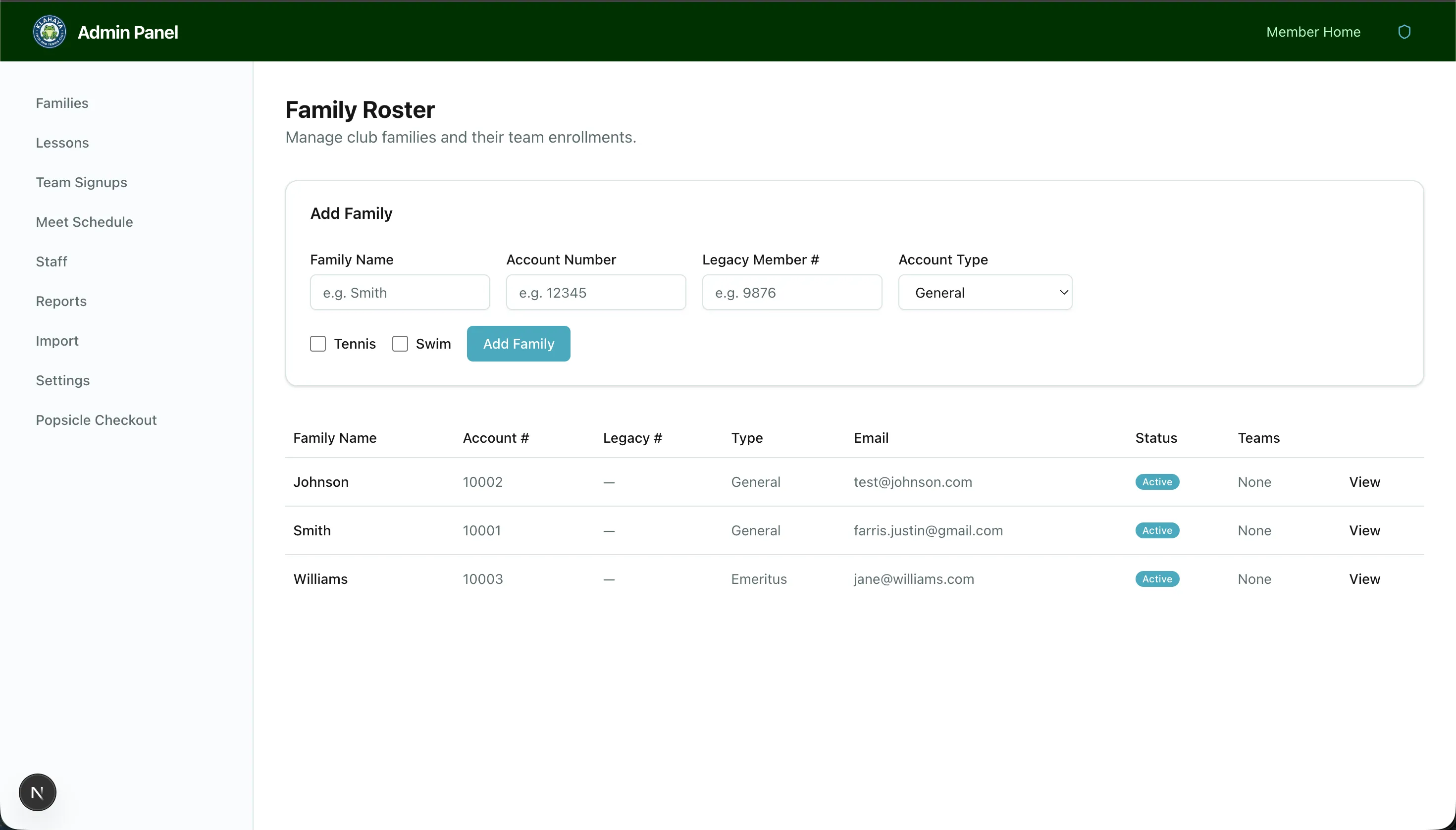
The admin panel is available to admins, and a smaller slice of it to front-desk staff. It covers families, programs, commerce, operations, reports, and every app setting.
An admin is anyone given Full admin. Front-desk staff are anyone given Front desk. Both are set on Admin > Staff. See Staff.
Accessing the admin panel
Section titled “Accessing the admin panel”After logging in, admins land on Admin Home (/admin), a dashboard of today’s activity and what needs attention. See Admin Home. Staff logins land on the point-of-sale screens instead.
From anywhere in the admin panel press ⌘K (Mac) or Ctrl+K (Windows) to search pages and records by name. See Command Palette.
Sidebar groups
Section titled “Sidebar groups”The sidebar is grouped by what you are doing:
- Members — Families, Membership Waitlist, Transactions, Waivers, Banners, Announcements, Forms
- Programs — Lessons, Private Lessons, Team Signups, Meet Schedule, Volunteer, Calendar, Pool Rentals, Reservations
- Commerce — Concessions Products, Readers, Tabs and Reports, Merch Store, Disputes
- Operations — Reports, Import, Facilities, Staff, News, File Uploads, Settings
- Point of Sale — Check-in, Popsicle Checkout, Concessions Cart
Settings
Section titled “Settings”Settings is split into tabs, and /admin/settings opens the first one:
- General — Feature visibility, club location and weather, holiday closures. See General Settings.
- Payments & Taxes — The master payments switch and one sales-tax card per sales channel. See Payments & Taxes.
- Popsicles — The prepaid packs members can buy. See Popsicle Packs.
- Notifications — Who receives dispute, ops and low-stock alert emails. See Notifications.
- Membership — Account types, member types, member numbers and addition rules. See Membership Settings.
- Membership Dues — Dues amounts, buckets and the per-account-type grid. See Membership Dues.
- Marketing and News — The Resend audience sync and the news feed topics. See Marketing Sync and News Feed.
- Seasons — Create and review seasons. See Seasons.
- Check-ins — Self check-in from the app. See Self Check-in Settings.
- API access — Tokens for agents and the command line. See API Access.
What staff can reach
Section titled “What staff can reach”Staff accounts see a reduced sidebar: the family roster (read-only), Private Lessons, Reservations rosters, the Concessions pages, and the three Point of Sale screens. Everything else, including Transactions, Disputes, and the money reports, is admin-only.
What Managers and Admin Viewers can reach
Section titled “What Managers and Admin Viewers can reach”Someone given Manager or View only reaches Staff and nothing else in the admin panel. They can read it and cannot change it. See Staff.