

Browsing Programs
The Lessons section lets you browse the lesson programs the club offers to your account type and see which sessions are open to you.
How to Browse
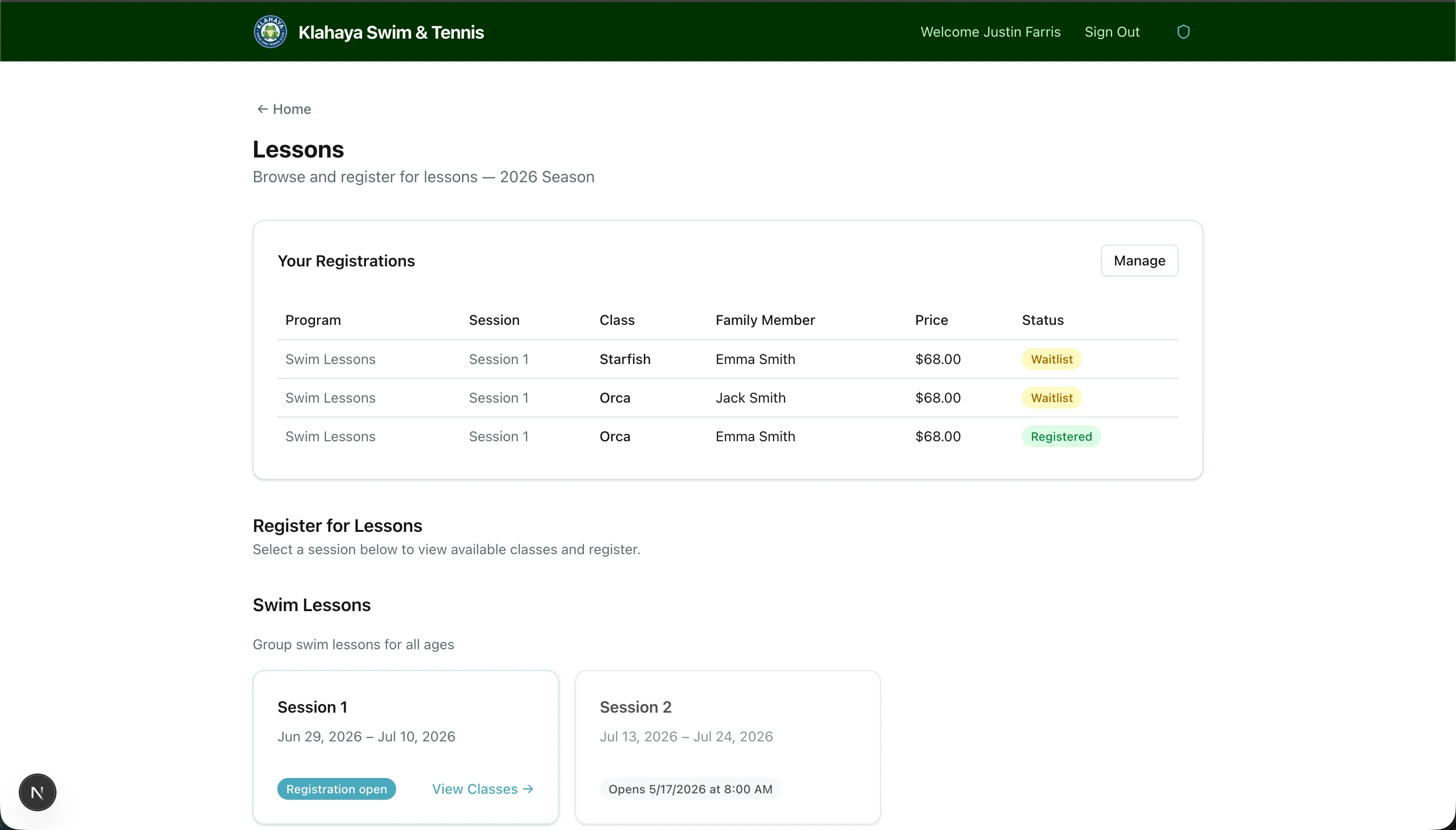
Section titled “How to Browse”- From Home, open Lessons
- You’ll see each lesson program (e.g., Swim Lessons, Tennis Lessons) with its sessions listed as cards
- Click an open session’s View Classes link to see its classes with schedules, pricing and availability
Only programs available to your family’s account type are listed. If a program isn’t offered to your account type you won’t see it at all.
Session Status
Section titled “Session Status”Each session card shows where your family stands:
- Registration open — click through and register
- Early access — the club has given your family early access; you can register before the public window opens
- Registration open (Lottery #N) — your lottery number has come up and your window is open
- Lottery #N — opens [date] at [time] — you have a lottery number, but your window hasn’t opened yet
- Opens [date] at [time] — the window for your account type hasn’t opened yet
- Not available / Lottery number not assigned — you can’t register for this session yet
Sessions you can’t register for are greyed out and can’t be opened. See Early Access & Lotteries for how lottery numbers and early access work.
What You’ll See for Each Class
Section titled “What You’ll See for Each Class”Classes are sorted by time slot, then skill level, and show:
- Class name, Level, description, Days and Time
- Price — the price for your account type (some classes are priced differently per account type)
- Availability — “3/12 spots”, or Full
- A summary of who in your family is already Registered or on the Waitlist for that class