

Viewing Meets
Once your family has a paid team registration, upcoming meets for that team appear on Home and on the Meet Schedule page.
On Home
Section titled “On Home”Home shows one meet card per sport (for example Swim Team) rather than a separate card for every meet. The card lists the next four meets with a subtitle such as “Next 4 of 9 meets”. Each meet row shows:
- The meet title (for example, “View Ridge @ KLA”), with a Home badge for home meets and the week label if the club set one
- The date, time, and location
- Any description the club added
- An Opted In / Opted Out status and an Opt In / Opt Out button for each of your registered players
When there are more than four meets, a View all N meets link at the bottom opens the full schedule.
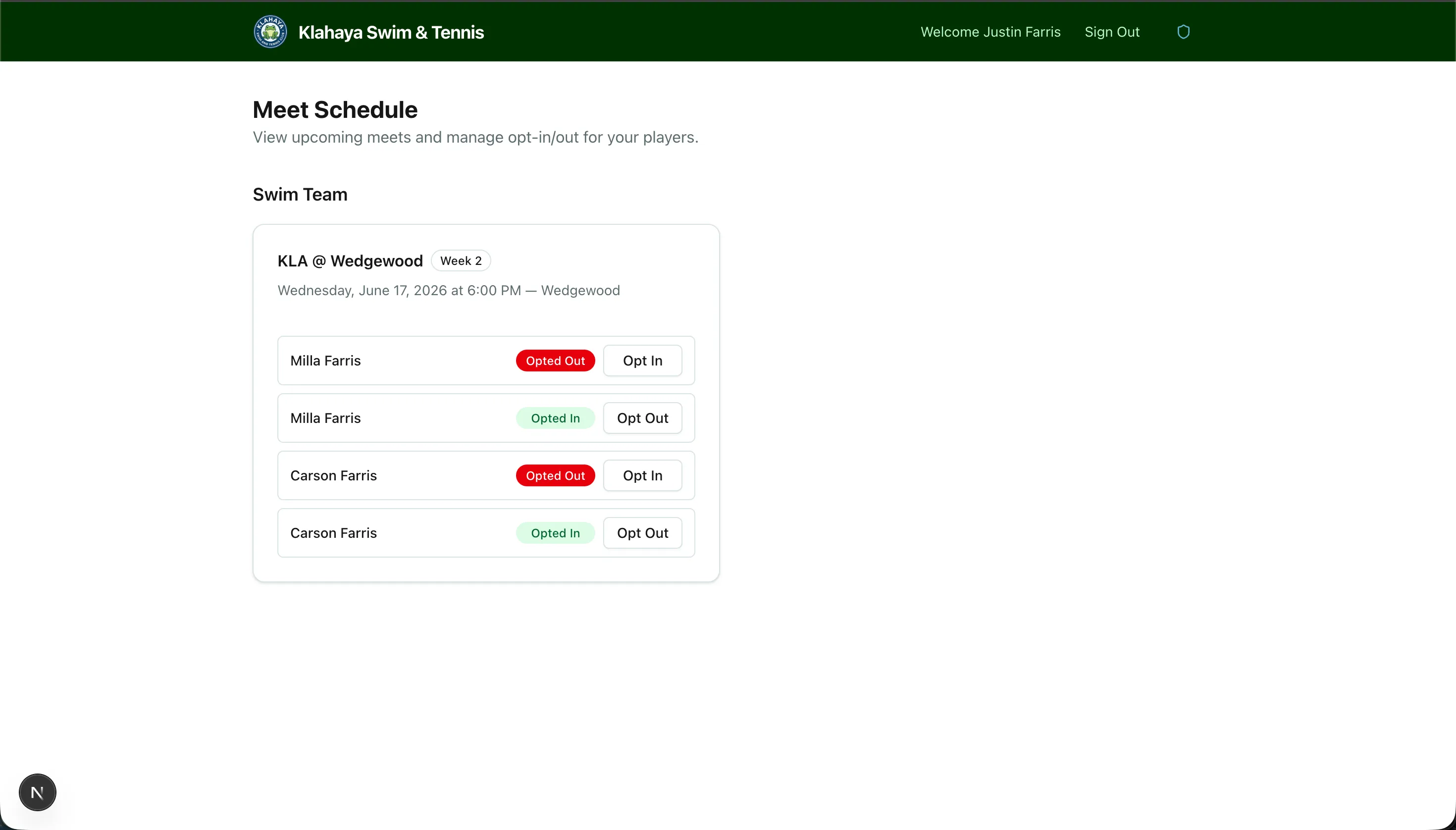
The Meet Schedule Page
Section titled “The Meet Schedule Page”Home → Meet Schedule lists every upcoming meet, grouped by sport, with the same details and opt-in controls as the Home card. Past meets drop off the list the day after they happen.
If the page says “No upcoming meets found”, either your family has no active team registration or the club hasn’t posted meets yet.
In the Klahaya App
Section titled “In the Klahaya App”The Meet schedule screen under Home shows the same list, grouped by sport, with each player’s status shown as Going or Opted out and an Opt in / Opt out button. Pull down to refresh. A Meets row appears on the app’s Home only when your family actually has upcoming meets.