

Feature Visibility
Feature visibility toggles let you control which features appear for members — on the web Home page and in the Klahaya app — without any code changes.
Available Toggles
Section titled “Available Toggles”Navigate to Admin > Settings > General and find the Feature Visibility card. Tick the features to show, then click Save Visibility Settings:
- Volunteer Hours — Hour tracking and obligations dashboard
- Lessons — Swim and tennis lesson registration
- Team Signups — Team sport registration forms
- Popsicle Punches — Punch card balance and purchases
- Meet Schedule — Meet schedule with opt-in/out for registered team players
- Volunteer Opportunities — Published shifts and events members can sign up for
- Check-ins & Guest Passes — Member visit history and guest pass balance
- Merch Store — Self-serve store for club apparel and gear
- Club Calendar — Club events synced from Google Calendar
- Member News — Resend Broadcasts surfaced as a filterable news feed
- Gifting — Let members gift popsicle punches to another family
- Custom Forms — Admin-built forms (RSVPs, surveys, orders) members open via a shared link
- Facility Reservations — Bookable sessions on a facility (e.g. off-season lap swim) with per-session fees
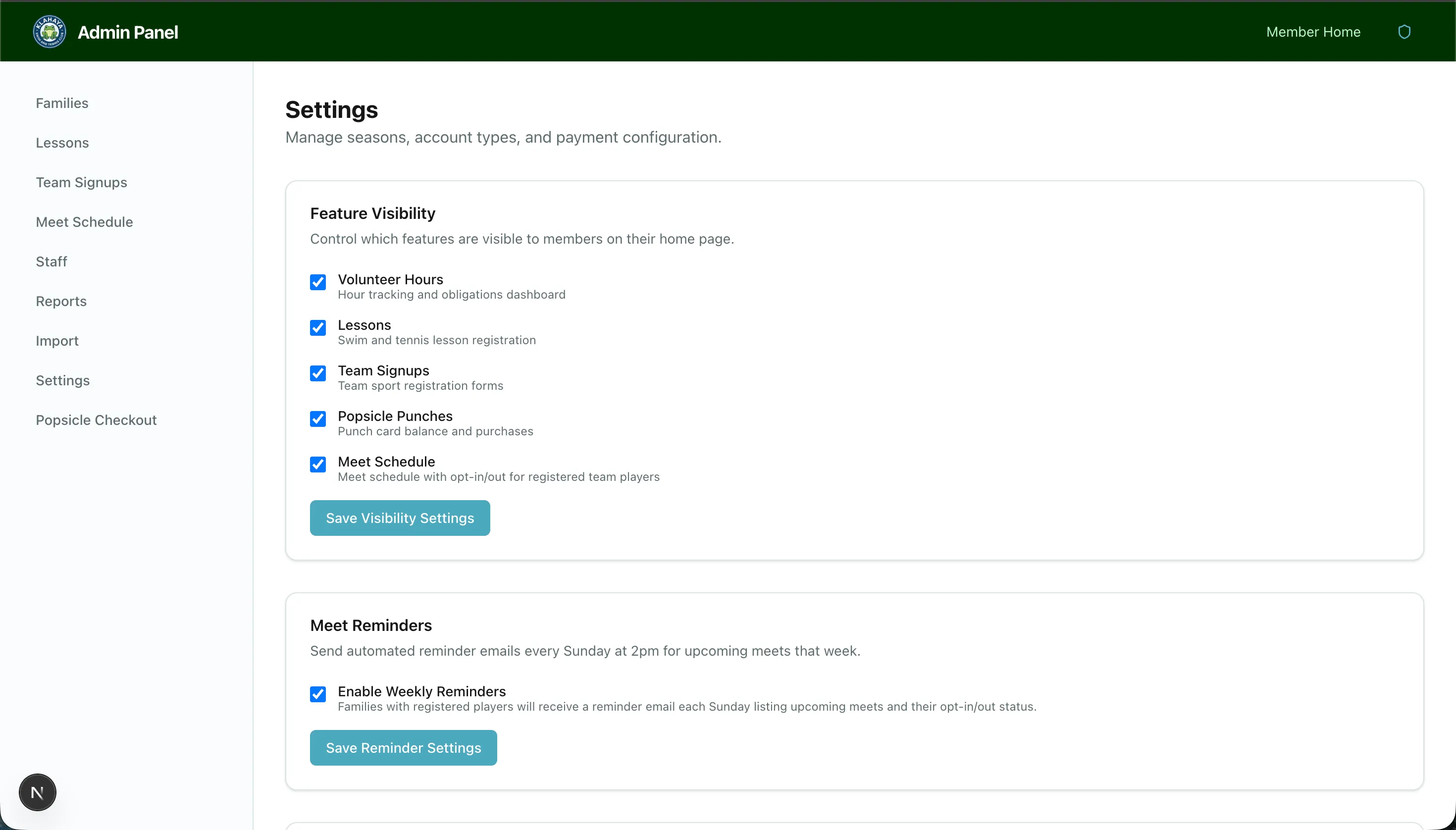
Global switch plus account-type access
Section titled “Global switch plus account-type access”These toggles are the global master switch. Lessons, Team Signups, Popsicle Punches, Check-ins & Guest Passes, Volunteer and Merch Store must also be granted to a family’s account type in the Account Type Access matrix on Membership Settings — a member sees the feature only when both are on. The remaining toggles apply to everyone.