

Popsicle Punches
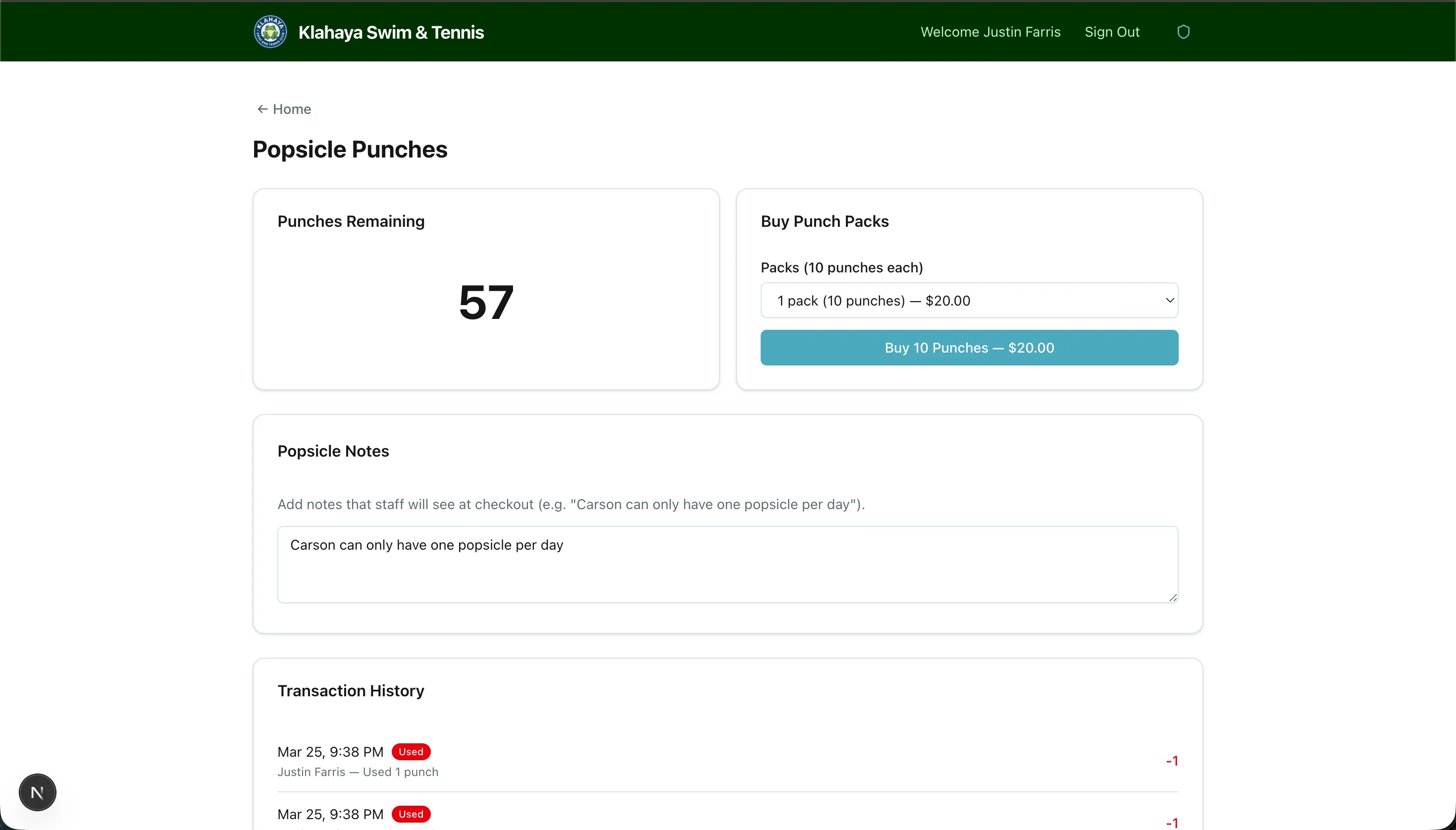
Popsicle Punches are a prepaid punch card for buying popsicles at the club. Each pack holds 10 punches, and staff take punches off your family’s balance at the Popsicle Checkout.
Viewing Your Balance
Section titled “Viewing Your Balance”- From Home, open the Popsicle Punches card
- The Punches Remaining card shows your family’s current balance
Buying a Pack
Section titled “Buying a Pack”- On the Popsicle Punches page, find Buy Punch Packs
- Choose how many packs you want under Packs (10 punches each) — one to five, with the price shown next to each option
- Click Continue to checkout — $X
- On the Review your purchase page, check the line item and total, then confirm:
- With a card on file, the button reads Pay $X and charges your saved card right away
- Without a card on file, click Continue to payment to pay securely on Stripe
- The Payment confirmed page shows your receipt, which is also emailed to you. Your punches are added as soon as the payment succeeds.
Reloading at the Front Desk
Section titled “Reloading at the Front Desk”You can also reload at the club. Staff choose the number of packs at the Popsicle Checkout and either charge your card on file or hand you the card reader to tap. If you tap a new card on the reader, staff can offer to save it as your card on file for next time.
Popsicle Notes
Section titled “Popsicle Notes”The Popsicle Notes card lets you leave instructions that staff see whenever they pull up your family at checkout — for example, “Carson can only have one popsicle per day.” Type your note and click Save Notes. Notes can be up to 1,000 characters.
Transaction History
Section titled “Transaction History”The Transaction History table lists every change to your balance, labelled Purchase, Reload, Used, or Adjustment, so you can see when packs were bought and when punches were used.
Gifting Punches
Section titled “Gifting Punches”If gifting is enabled, a Gift punches to another member button appears under your balance. See Sending a Gift.
In the Klahaya App
Section titled “In the Klahaya App”The app’s Popsicles screen shows the same balance and history, lets you buy packs with Apple Pay, Google Pay, or a card through the in-app payment sheet, and carries the Send a gift entry point.