

Viewing Your Progress
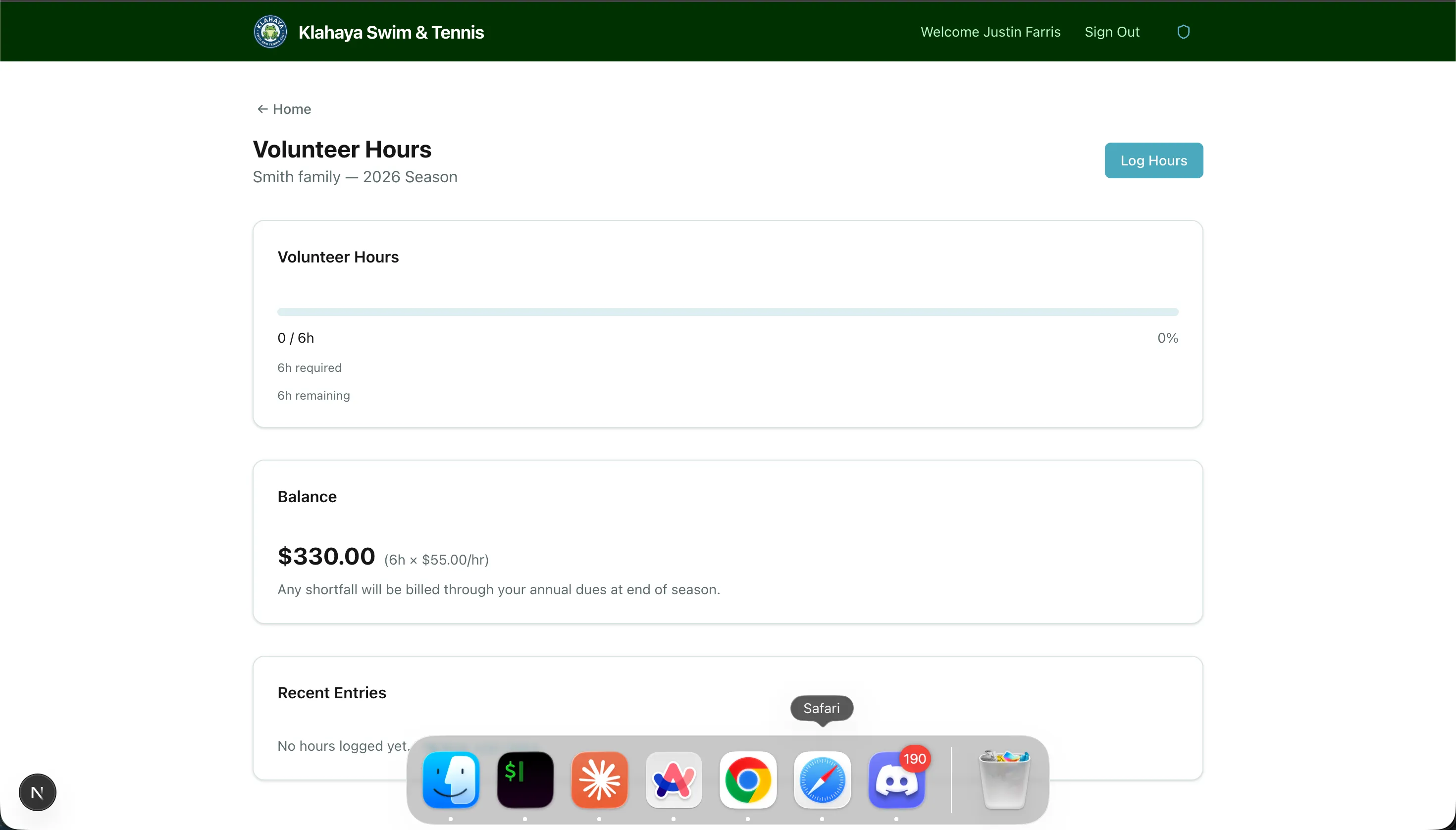
The Volunteer Hours Dashboard shows your family’s progress toward the season hour requirement at a glance.
What You’ll See
Section titled “What You’ll See”The dashboard displays:
- Progress bar — Visual indicator of hours completed vs. hours required
- Hours completed — Total approved hours logged this season
- Hours required — Your family’s total obligation based on account type and activity enrollments
- Remaining balance — Hours still needed, or overage if you’ve exceeded your requirement
- Buyout amount — The dollar amount owed if hours aren’t fulfilled by season end
- Recent entries — Your most recently logged volunteer hours
Understanding Your Hour Requirement
Section titled “Understanding Your Hour Requirement”Your total required hours are calculated from:
- Base hours — Set by your account type (e.g., General = 50 hours, Emeritus = 10 hours)
- Activity hours — Additional hours for each activity your family is enrolled in (e.g., Swim Team adds 10 hours)