

Browsing Programs
The Lessons section lets you browse all available lesson programs offered by the club.
How to Browse
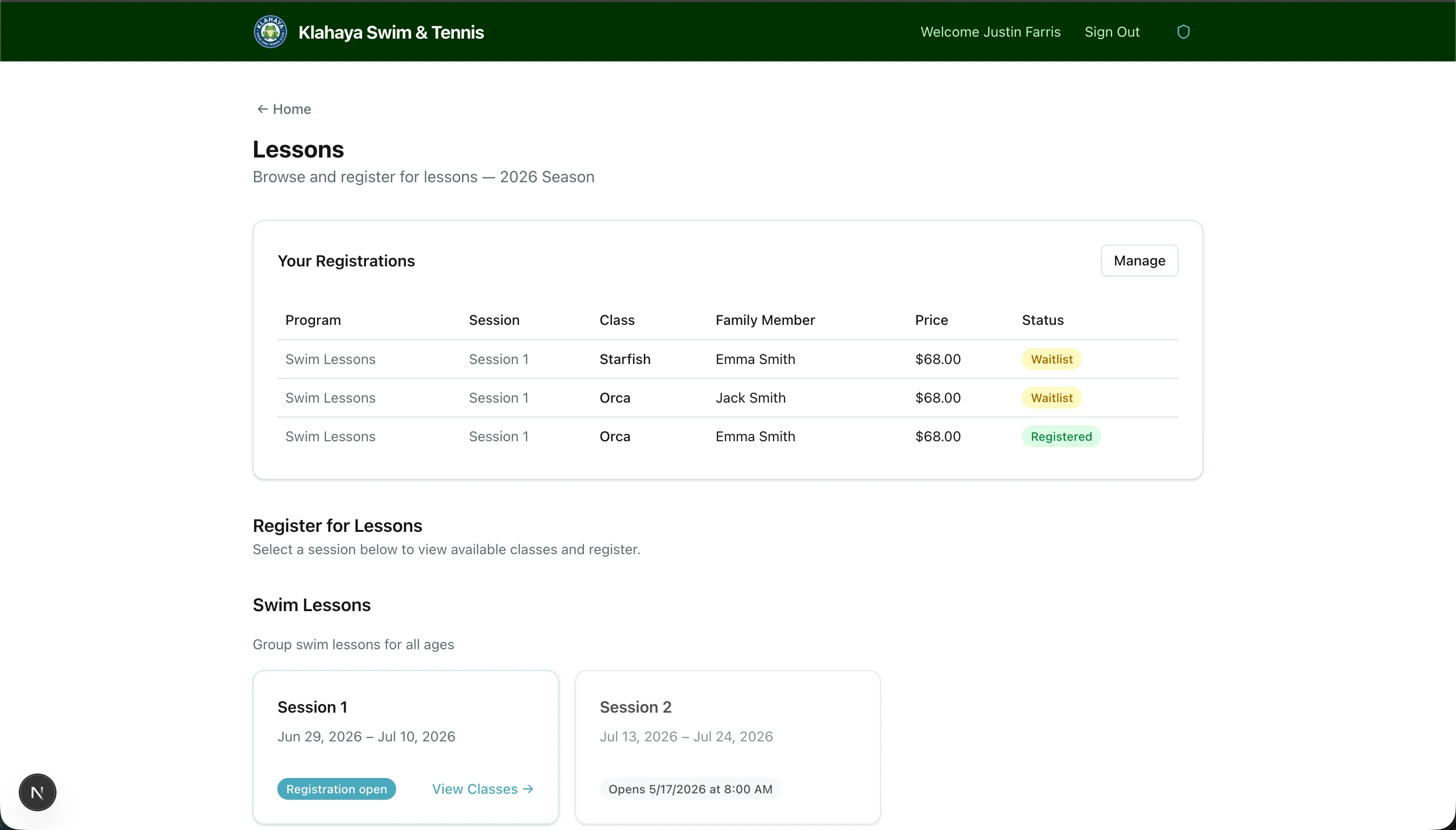
Section titled “How to Browse”- From the Home Hub, click Lessons or navigate to the lessons page
- You’ll see a list of lesson programs (e.g., Swim Lessons, Tennis Lessons)
- Click on a program to see its sessions (e.g., Summer 2025 Session 1)
- Click on a session to see available classes with schedules, pricing, and availability
What You’ll See for Each Class
Section titled “What You’ll See for Each Class”- Class name and schedule (days/times)
- Price per registration
- Spots available (e.g., “3 of 12 spots remaining”)
- Registration status — whether registration is open for your account type
- Waitlist indicator — if the class is full but has a waitlist enabled