

Staff Management
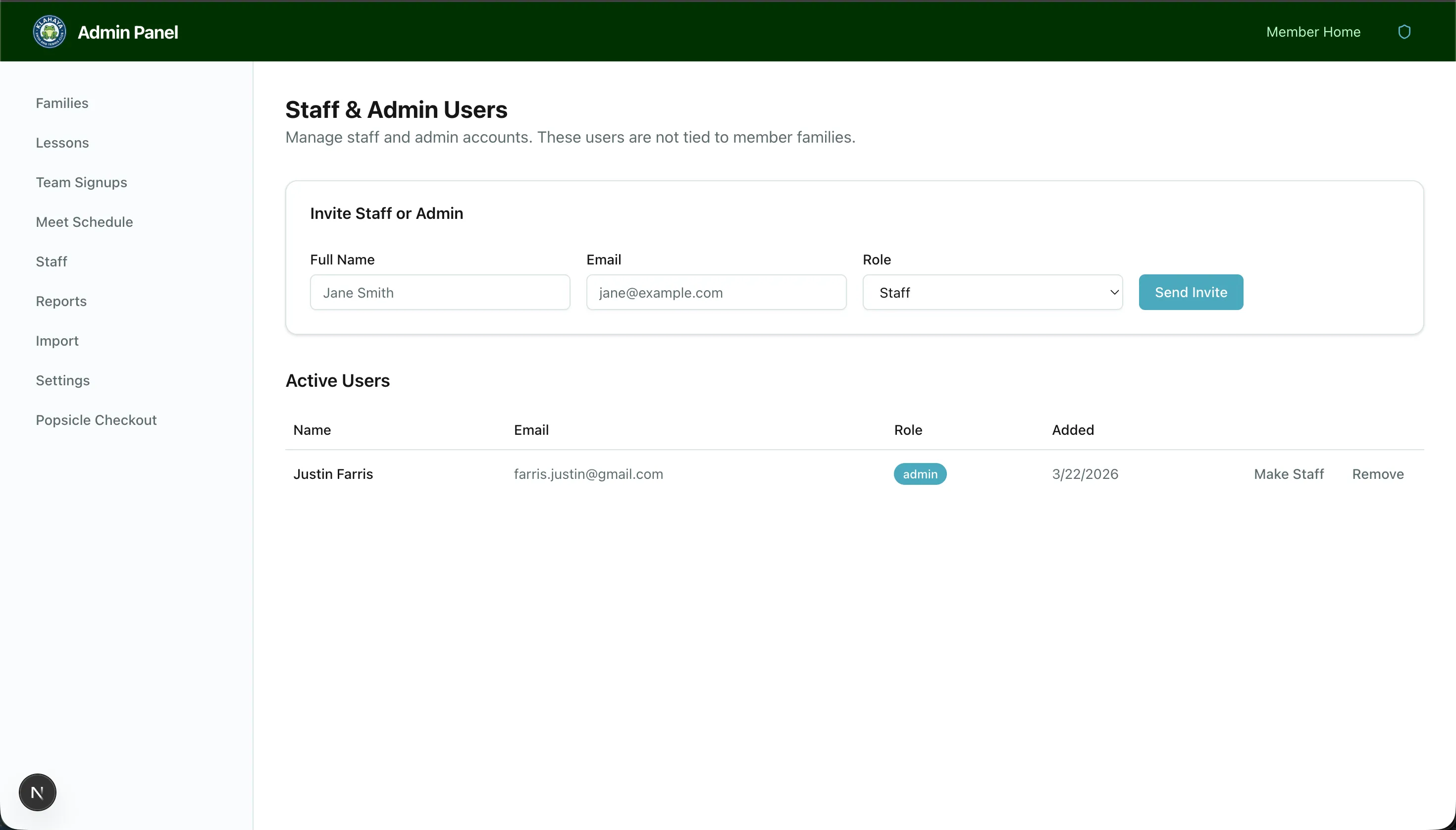
The Staff page lets admins invite new staff or admin users and manage existing team members.
Inviting a User
Section titled “Inviting a User”- Navigate to Admin > Staff
- Click Invite
- Enter the user’s email address
- Select their role:
- Staff — Can access the POS checkout, but not the admin panel
- Admin — Full access to the admin panel and all features
- Click Send Invitation
The user will receive an email invitation. When they click the link and log in, their account is created with the assigned role.
Managing Users
Section titled “Managing Users”From the staff page you can:
- View all active staff and admin users
- See pending invitations that haven’t been accepted
- Remove a staff/admin user