

Reports
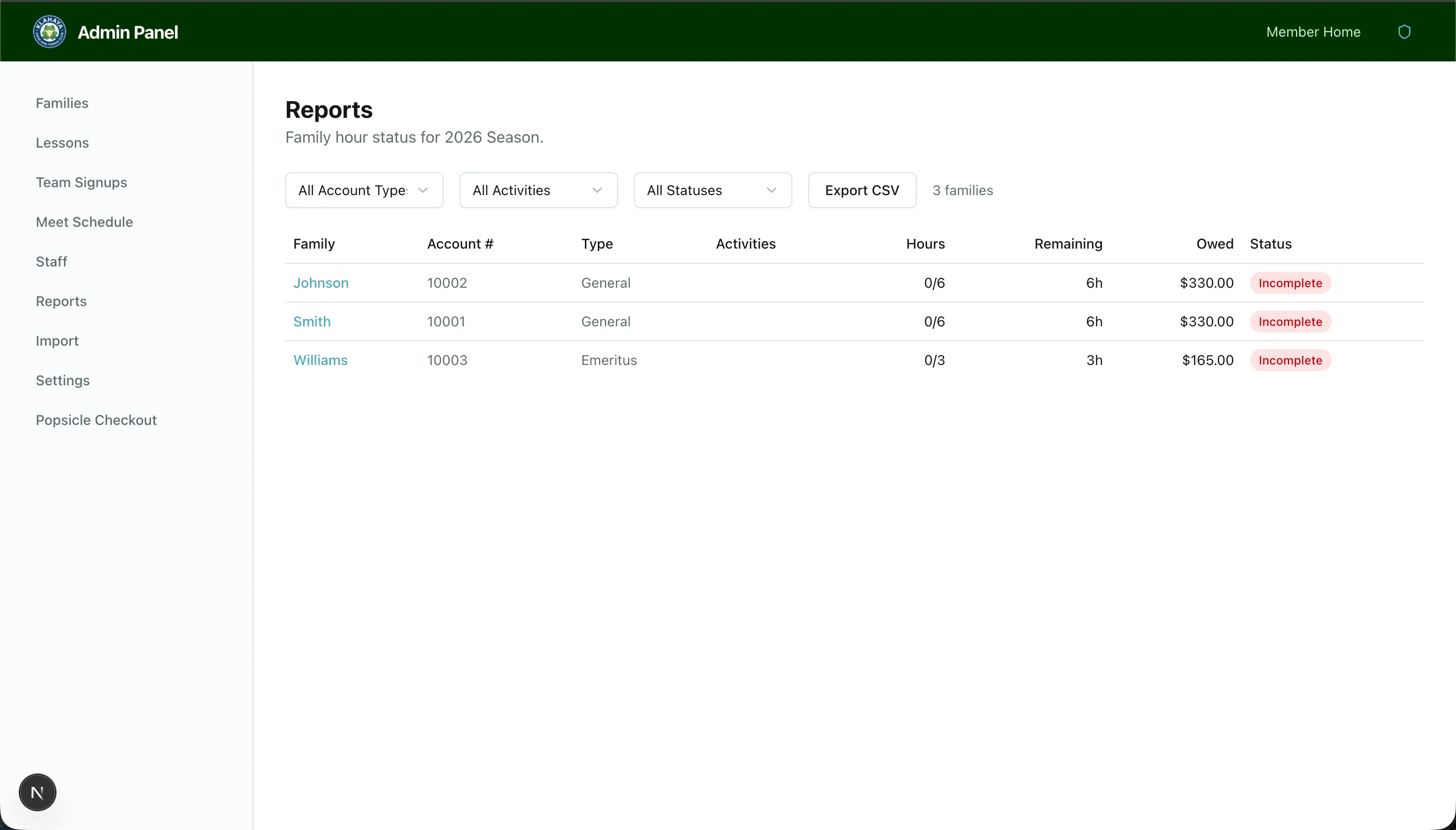
The Reports page provides a filterable view of all families’ volunteer hour status for the current season, designed for end-of-season billing.
Viewing Reports
Section titled “Viewing Reports”- Navigate to Admin > Reports
- You’ll see a table with all families showing:
- Family name and account number
- Account type
- Hours required and hours completed
- Fulfillment status (Fulfilled / Unfulfilled)
- Buyout amount (if unfulfilled)
Filtering
Section titled “Filtering”Use the filter controls to narrow down the report:
- Team — Filter by activity enrollment (Swim, Tennis, All)
- Status — Filter by fulfillment status (Fulfilled, Unfulfilled, All)
CSV Export
Section titled “CSV Export”- Apply any desired filters
- Click Export CSV
- A CSV file will download with the filtered results