

Rosters & Opt-Outs
The admin meet schedule view lets you see the full roster for each meet and track which players have opted out.
Viewing a Roster
Section titled “Viewing a Roster”- Navigate to Admin > Meet Schedule
- Each meet shows an opt-out count (e.g., “3 opted out”)
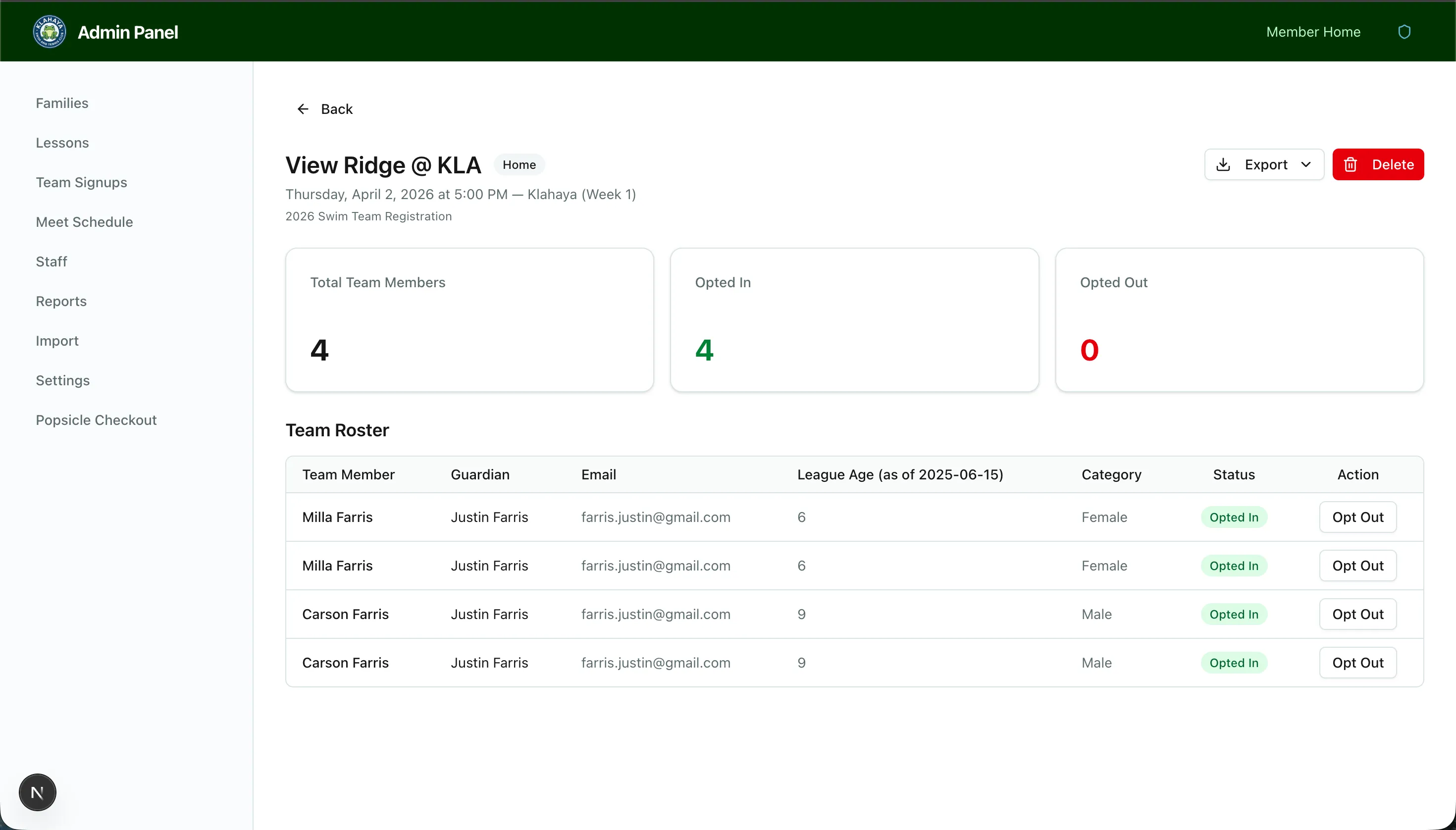
- Click on a meet to see the full roster
Roster Details
Section titled “Roster Details”The roster shows:
- All registered players for that team
- Opt-in/out status for each player
- Total counts — players attending vs. opted out
Exporting
Section titled “Exporting”Use the export button to download the roster as a CSV for sharing with coaches or printing.