

Classes & Pricing
Classes are the individual offerings that members register for within a session.
Creating a Class
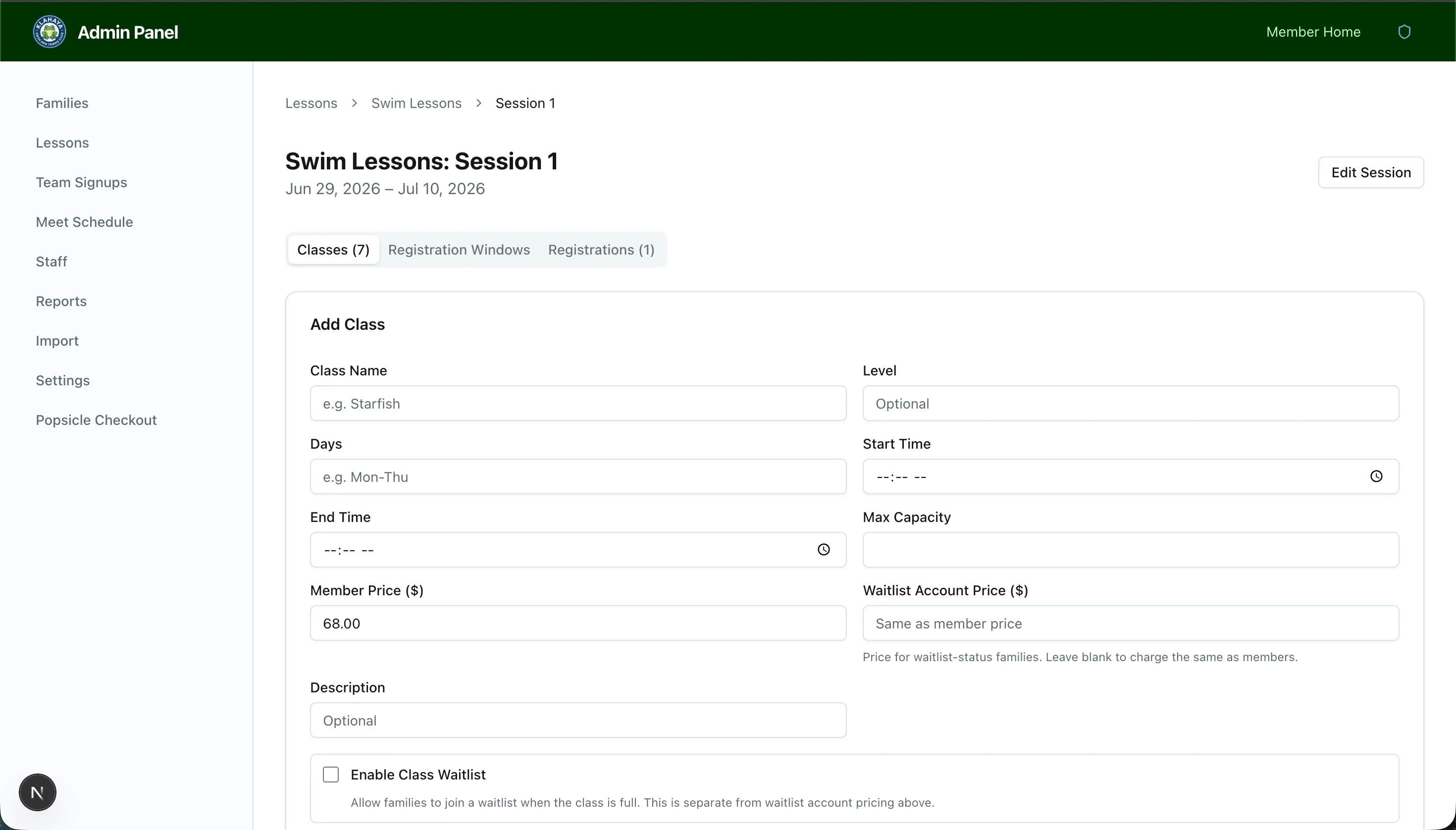
Section titled “Creating a Class”- Navigate to the session (via Admin > Lessons > Program > Session)
- Click Add Class
- Configure the class:
- Class name (e.g., “Beginner Swim - MWF 9am”)
- Schedule — Days and times
- Capacity — Maximum number of registrations
- Price — Registration fee
- Waitlist — Enable or disable (see Waitlist Configuration)
- Save the class
Editing a Class
Section titled “Editing a Class”All class fields can be edited after creation, including capacity, pricing, and waitlist settings. Click on a class to edit it.
Tiered Pricing
Section titled “Tiered Pricing”Classes support tiered pricing based on account type. When configured, different account types can have different prices for the same class.